What Is a PLY File? The Stanford Polygon Format for 3D Meshes and Point Clouds
Greg Turk's 1994 format from Stanford — flexible, ASCII or binary, and the foundation of 3D scanning research. Not to be confused with Gaussian Splatting PLY.
Updated Mar 2026
What Is a PLY File? (And Why Are There Three Different Kinds?)

PLY — short for Polygon File Format, also called Stanford Triangle Format — was created at Stanford University's Computer Graphics Laboratory in 1994. Greg Turk wrote the original specification when the lab needed a flexible format for their 3D scanning research: a format that could store polygon meshes and point clouds with any combination of custom properties (position, color, normals, confidence scores, curvature values) without requiring format updates for each new type of data. The PLY format description was published in 1994 with an explicit open-use license, and it has remained structurally unchanged for 30 years.
The immediate use case was the Stanford 3D Scanning Repository — one of the most important 3D datasets in computer graphics history. The repository houses scanned models of the Stanford Bunny (362,272 triangles from a Cyberware 3030 MS scanner across 10 scans), the Stanford Dragon (871,414 triangles), the Happy Buddha (1,087,716 triangles), and others. These models became the standard benchmarks for surface reconstruction, mesh processing, and rendering algorithm research. If you have seen a research paper in 3D computer graphics, chances are it tested against a Stanford PLY model.
Here is the critical disambiguation: the `.ply` extension is used by three fundamentally different types of data — Mesh PLY (triangles and polygons, the original use), Point Cloud PLY (just position data, no face connectivity), and Gaussian Splatting PLY (Gaussian ellipsoid parameters for 3DGS rendering, completely different from either). This page covers Mesh PLY and Point Cloud PLY. For Gaussian Splatting PLY, see the dedicated PLY for 3DGS guide.
Why does this matter? Because opening a Gaussian Splatting PLY in a mesh viewer produces a chaotic cloud of dots, and opening a Mesh PLY in a 3DGS viewer produces an error. The `.ply` extension is shared by convention only — the internal header data determines which type a file actually is. If you received a `.ply` file and it does not display correctly, identifying which type it is (see the "How to Tell Them Apart" section) is the first step.
Technical Structure: The PLY Header System
Every PLY file starts with a plain-text header, regardless of whether the data section is ASCII or binary. The header begins with the literal text `ply` on the first line, followed by a `format` line: either `format ascii 1.0`, `format binary_little_endian 1.0`, or `format binary_big_endian 1.0`. This three-way choice is PLY's most important design decision — the same header structure works for all three encodings, meaning parsers can read the header universally and then switch to the appropriate data reader.
The header then defines elements and properties. An element is a named list of items (vertices, faces, edges, custom elements). Each element declaration specifies how many items there are and what properties each item has. A typical mesh PLY header: `element vertex 12` followed by `property float x`, `property float y`, `property float z` defines 12 vertices with float32 x/y/z coordinates. `element face 20` followed by `property list uchar int vertex_indices` defines 20 faces, each face being a list of integers (the list length is a uchar, the indices are int). The `property list` construct is PLY's mechanism for variable-length data — face definitions need different numbers of vertex indices.
The header ends with `end_header`, and the data section immediately follows. In ASCII mode, each element is represented as whitespace-separated values on separate lines — human-readable but verbose. In binary mode, each element is packed as raw bytes in the declared field order with no padding — compact and fast to parse. Binary PLY is typically 3–5× smaller than ASCII PLY for the same model. For the Stanford Bunny (362,272 vertices + faces), ASCII PLY is approximately 60MB; binary little-endian PLY is approximately 14MB.
PLY's extensibility is a defining feature. Any application can add custom properties to standard elements without breaking compatibility — existing parsers ignore properties they do not recognize. Common extensions include per-vertex color (`property uchar red`, `property uchar green`, `property uchar blue`), per-vertex normals, per-vertex curvature, per-vertex confidence (scan reliability score), and per-face material index. This is how point clouds with color (from RGB-D cameras or photogrammetry) are stored in PLY: the vertices have x, y, z plus r, g, b properties.
Mesh PLY vs Point Cloud PLY vs Gaussian Splatting PLY
Mesh PLY is the original type. The file has both an `element vertex` section (position coordinates, optional normals, optional color) and an `element face` section (vertex index lists defining polygons). The presence of `element face` is the defining marker of a mesh. Mesh PLY is what Blender imports, what MeshLab displays with proper shading, and what the Stanford 3D Scanning Repository distributes. Most 3D software that claims PLY support is handling mesh PLY.
Point Cloud PLY has an `element vertex` section but no `element face` section. Each vertex is an independent point in 3D space — there are no faces connecting them. Point clouds appear in 3D scanning outputs from LiDAR sensors, RGB-D cameras (Kinect, RealSense, iPhone LiDAR), and photogrammetry pipelines before mesh reconstruction is performed. CloudCompare is the standard tool for point cloud PLY analysis. In Blender, a point cloud PLY opens as thousands of disconnected vertices with no surfaces.
Gaussian Splatting PLY has an `element vertex` section but no faces — and the vertex properties are completely different from mesh or point cloud PLY. Instead of simple `x, y, z` positions, 3DGS PLY vertices have 59 properties: position (x, y, z), normals (nx, ny, nz — usually zero), spherical harmonics DC component (f_dc_0, f_dc_1, f_dc_2), higher-order spherical harmonics (f_rest_0 through f_rest_44), opacity, scale (scale_0, scale_2, scale_2), and rotation quaternion (rot_0, rot_1, rot_2, rot_3). The presence of `f_dc_0` or `opacity` or `scale_0` in the header is the identifier of 3DGS PLY.
Identification rule: open any PLY file in a text editor and read the header. Has `element face` → mesh PLY. Has `f_dc_0` / `opacity` / `scale_0` without `element face` → 3DGS PLY. Has only `x`, `y`, `z` (and optionally `r`, `g`, `b`, `nx`, `ny`, `nz`) without `element face` → point cloud PLY. Polyvia3D auto-detects PLY type on upload.
Use Cases — Who Needs Mesh PLY Files
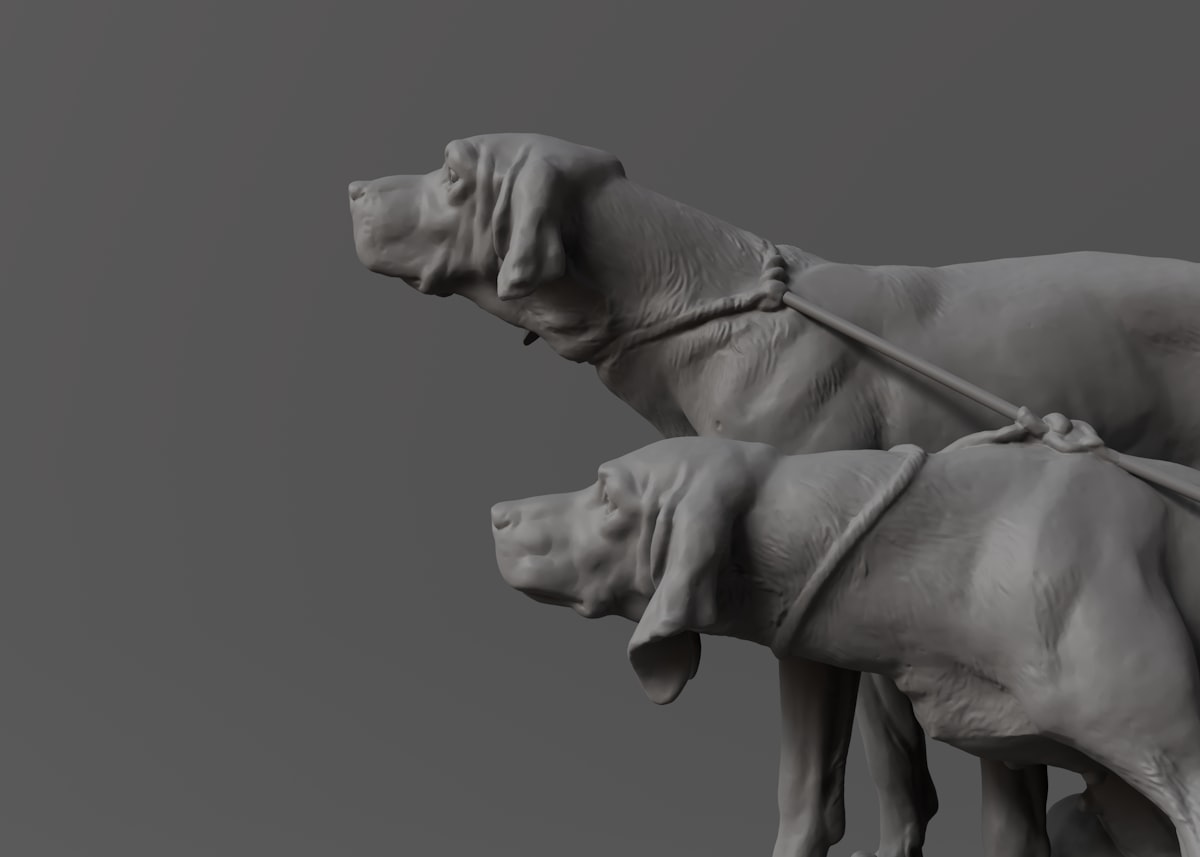
3D scanning and research: PLY is the format of choice for academic and research 3D scanning because of its extensibility and open specification. Every major 3D scanner SDK (FARO, Artec, Matterport, iPhone LiDAR via various apps) can export PLY. When a research paper says "we tested on the Stanford dataset," they mean PLY files. For work that begins with a 3D scanner, PLY is likely the first format you encounter.
Point cloud processing pipelines: LiDAR surveys (architecture, urban mapping, autonomous vehicles), photogrammetry (drone mapping, historical preservation), and RGB-D reconstruction pipelines all produce point cloud PLY as an intermediate format. Tools like CloudCompare, PCL (Point Cloud Library), and Open3D use PLY as their primary interchange format for point cloud data.
Computer graphics research: Any research involving mesh processing, surface reconstruction, denoising, remeshing, or geometry processing traditionally uses PLY models from the Stanford repository as test cases. PLY's simple structure makes it easy to implement a custom parser, which is why research code almost universally reads PLY files.
Game asset pipelines (historically): PLY was occasionally used in game asset pipelines for its color-per-vertex support (useful before texture maps were standard). This use has declined significantly as OBJ and GLB have better cross-software support. PLY for game assets in 2026 is uncommon.
When NOT to use PLY: For 3D printing, use STL or 3MF — PLY has no printing-specific features and limited slicer support. For web 3D display, use GLB — no browser natively loads PLY. For game engines, use FBX or GLB — PLY is not natively supported by Unity or Unreal Engine. For cross-software geometry exchange, use OBJ — PLY's custom property system creates compatibility risk between different implementations.
PLY vs OBJ: When to Choose Each
PLY and OBJ are both flexible mesh formats, but they serve different primary use cases. PLY is the better choice for: raw scan data (scan processing tools universally support PLY), research and academic work (Stanford models are PLY), point clouds (PLY handles point-only data natively; OBJ does not have a point cloud mode), and custom per-vertex attributes (PLY's property system supports arbitrary float/int/char fields per vertex; OBJ is limited to position + normal + UV).
OBJ is the better choice for: cross-software geometry exchange (30 years of compatibility means OBJ support is more broadly tested than PLY), texture-mapped models (OBJ's MTL system is more universally supported than PLY's per-vertex color), game engine input (most game engines support OBJ directly; PLY requires conversion), and any workflow involving Blender, Maya, or 3ds Max as primary tools (OBJ import/export is more mature in these applications).
File size comparison: Binary PLY is typically smaller than OBJ for pure geometry (no textures) because binary PLY uses compact typed arrays while OBJ stores everything as ASCII text. For textured models, OBJ+MTL+textures is a common package, while PLY with embedded color is a different approach. Neither is universally smaller — it depends on the model.
Polyvia3D supports bidirectional conversion between PLY and OBJ (and PLY to STL, GLB, 3MF). For scan data that needs to be shared with designers using standard 3D software, converting PLY to OBJ is a common and safe step.
How to Open, View, and Convert PLY (Mesh) Files
Desktop software: MeshLab (free, the standard research tool for PLY), CloudCompare (free, specialized for point clouds), Blender (PLY import for mesh and point cloud PLY — not 3DGS PLY), Open3D (Python library, excellent for point cloud processing).
Polyvia3D: The PLY Viewer opens mesh PLY files in the browser with no software installation. For 3DGS PLY files (which look like chaos in the standard viewer), use the dedicated PLY Gaussian Splatting Viewer at /splat-viewer/ply.
Important note if your PLY file looks wrong: If a PLY file displays as a chaotic cloud of points in any viewer, it is likely a Gaussian Splatting PLY opened in a mesh viewer. Check the file header (text editor, first 50 lines) for `f_dc_0` or `opacity` properties — those confirm 3DGS PLY. See the PLY for 3DGS guide for the correct tools.
Common PLY conversions: PLY to OBJ (for cross-software use), PLY to STL (for 3D printing), PLY to GLB (for web display). All supported by Polyvia3D in the browser.
Software Compatibility with Mesh PLY Files
| Tool | Type | Notes |
|---|---|---|
| MeshLab | Desktop (free) | The standard research tool — full PLY support with analysis |
| CloudCompare | Desktop (free) | Excellent for point cloud PLY; mesh display limited |
| Blender | Desktop (free) | Full mesh PLY import — NOT for 3DGS PLY (shows dots) |
| Open3D / PCL | Library (Python/C++) | Primary choice for point cloud PLY processing pipelines |
| Unity / Unreal Engine | Game Engine | No native PLY support — convert to FBX or GLB first |
| Polyvia3D Viewer | Browser (free) | Mesh PLY viewing in browser (3DGS PLY needs different viewer) |
| Polyvia3D Converter | Browser (free) | PLY ↔ OBJ, STL, GLB, 3MF in browser |
| Autodesk Meshmixer | Desktop (free) | PLY mesh import for repair and analysis |